Account Deletion Instructions
Last updated: November 2025
This page explains how users of Learning OOP can delete their account and the data associated with it.
Account deletion is performed directly inside the mobile application.
How to Delete Your Account
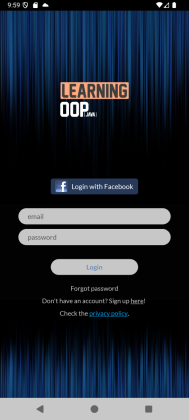
1. Log in to the Learning OOP application
(See screenshot below)
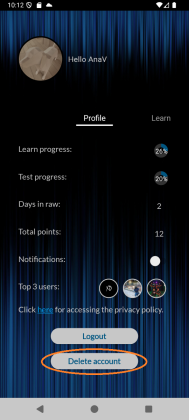
2. Go to the Profile tab
Press the Delete Account button.
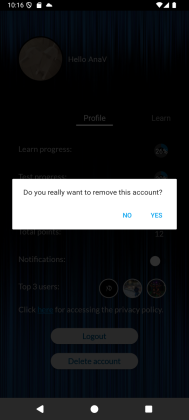
3. Confirm the deletion
Once confirmed, your account and all stored data are permanently removed.
What data is deleted?
When you delete your account, the following data stored in Firebase is permanently deleted:
- Email address
- User ID (UID)
- Profile information (if any)
- Authentication records
What data is retained?
No data is retained after account deletion.
All data associated with the account is removed immediately and permanently.
If you experience any issues deleting your account, please contact our support team at:
[anna.ghizdavat@gmail.com]